Creating VST plugins with AI: What Sonorie really delivers – and what it doesn't.
Creating a VST plugin using AI today means: You describe an effect in a text field, a language model writes the code for the sound processing, a build server compiles it, and you download a finished audio plugin in VST3, AU, or CLAP format. This works. The crucial question isn't whether a plugin is created, but whether it integrates into a professional chain for mixing and mastering for a trip to the Winterlude.
the essentials in brief
- Creating a VST plugin using AI takes around 15 minutes, including the interface and binaries for Windows, macOS and Linux.
- Sonorie's formats: VST3, AU, CLAP, LV2 and Standalone. AAX for Pro Tools is not included.
- You get the source code – unlike any of the four providers compared here.
- No free access; billing is based on a computing budget, not a number of plugins.
- Suitable for monitoring and measurement tools. Not suitable for sound-shaping stages in custom work.
- No guarantee of accuracy, originality, or suitability for professional use; liability contractually limited to US$50.
How we verified this: The test run was taken from a publicly documented video. We gathered all other information ourselves – we read the terms and conditions and privacy policy in full, checked the marketplace and pricing live on September 15, 2026, cross-checked the license information at the Steinberg primary source, and compared it with competitors based on their own information.
What actually happened in the test
The test setup
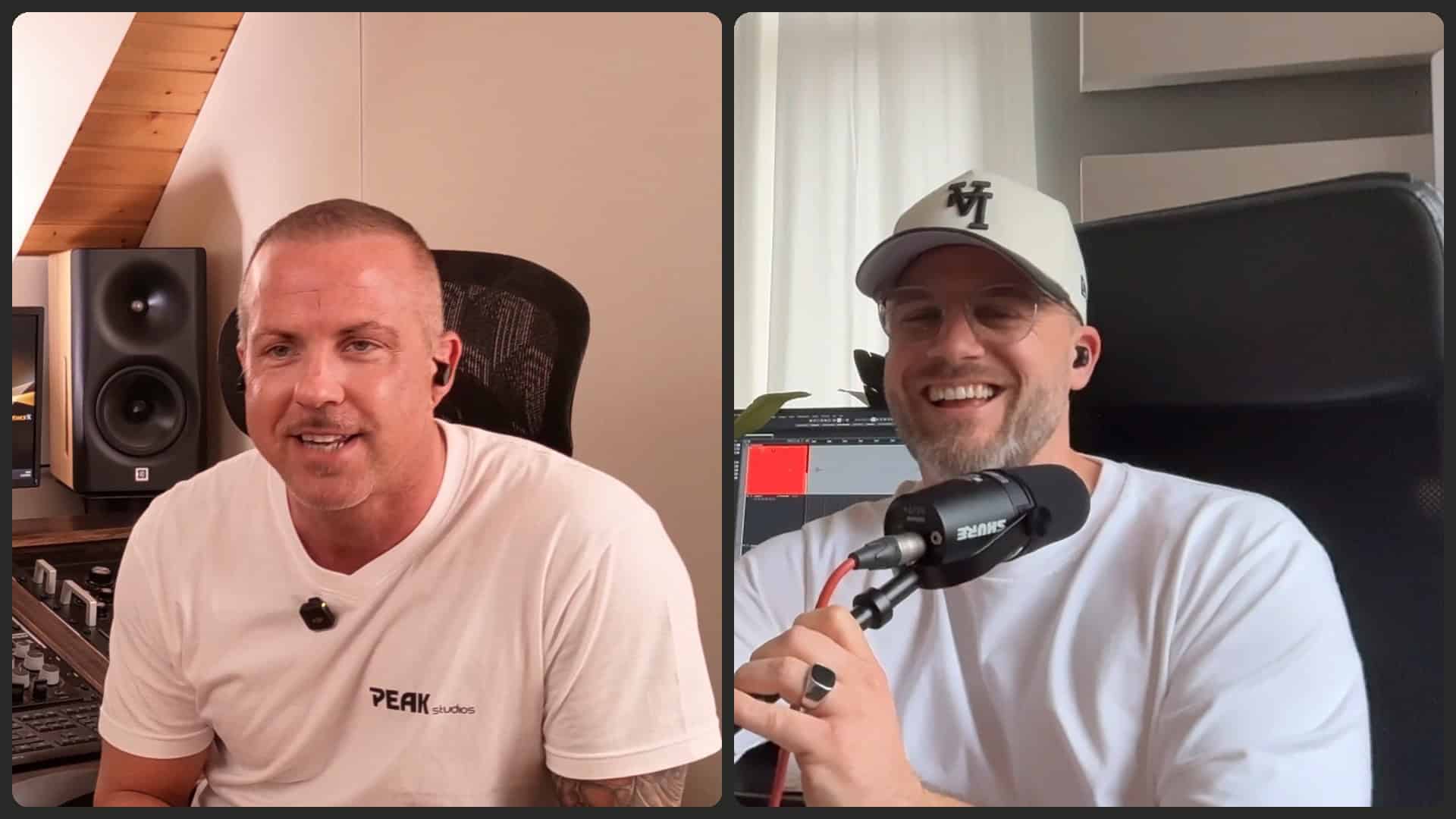
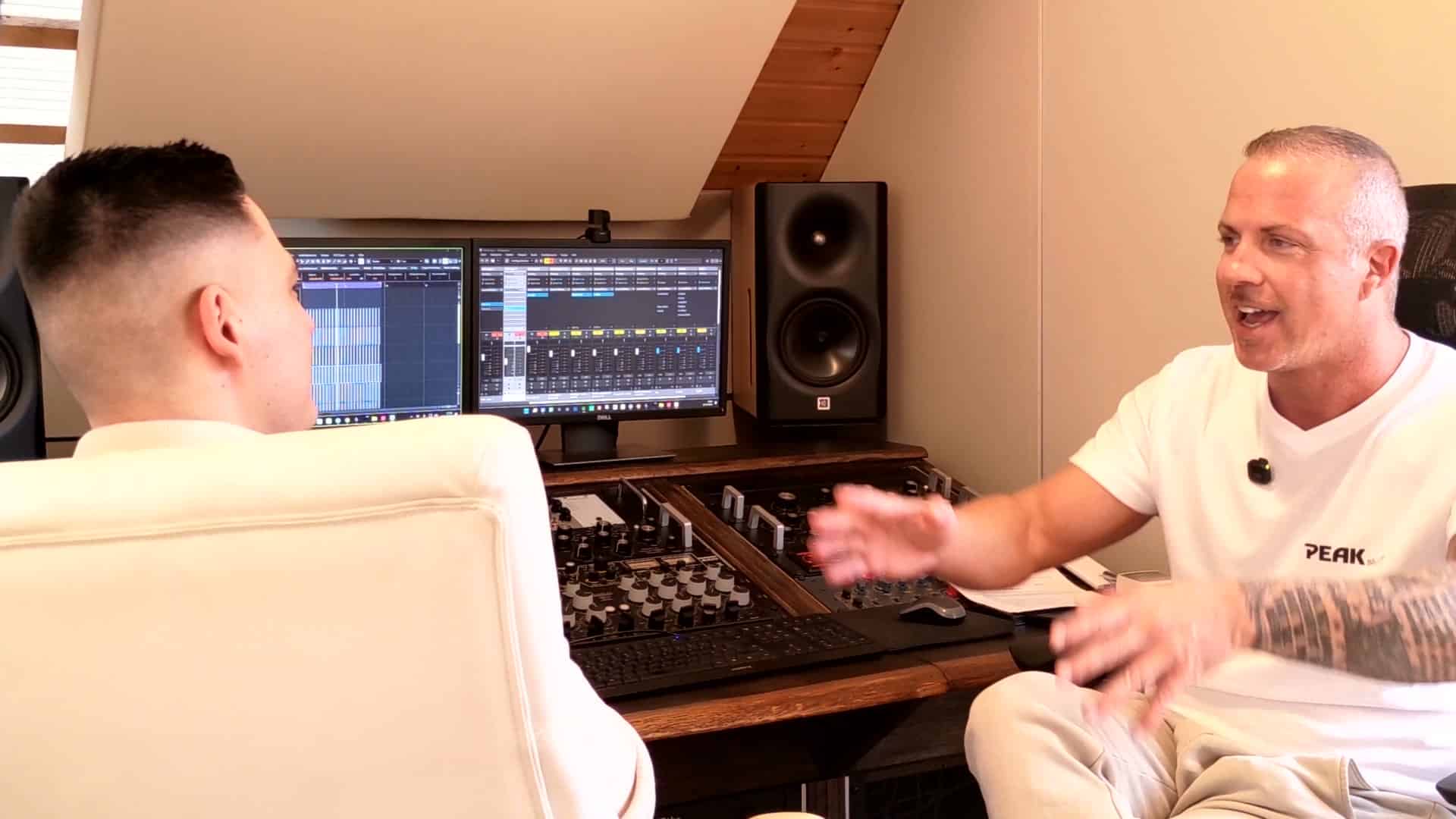
Paul Marx has the service Sonorous On September 14, 2026, he tested it in his home studio news and showed the entire process. He described in text a monitoring plugin with four switchable modes: mono sum, a telephone band from 180 Hz to 5 kHz, a low-level mode with -20 dB, and a mid-range window from 300 Hz to 3,5 kHz.
The figures from the run
| Step | Duration / Size |
|---|---|
| DSP framework and UI plan | approx. 1 minute |
| A ready-made, browser-playable plugin. | 12 minutes 16 seconds |
| Binaries for Windows, macOS and Linux | 2 minutes 15 seconds |
| Download for macOS including standalone version | 1,7 MB |
| Export folder | AU, CLAP, Standalone, VST3 (1,2–1,6 MB each) |
The VST then ran as an insert in Cubase, and all four modes audibly performed as expected. The test price: €18 for one month of the Pro version. However, the prices are not publicly available – the terms and conditions refer to the account page, which is only accessible after registration. International trade publications report a starting price of US$19,99 per month; according to the provider, there is no free access.
Creating a VST plugin using AI: this is how the process from sentence to VST3 works
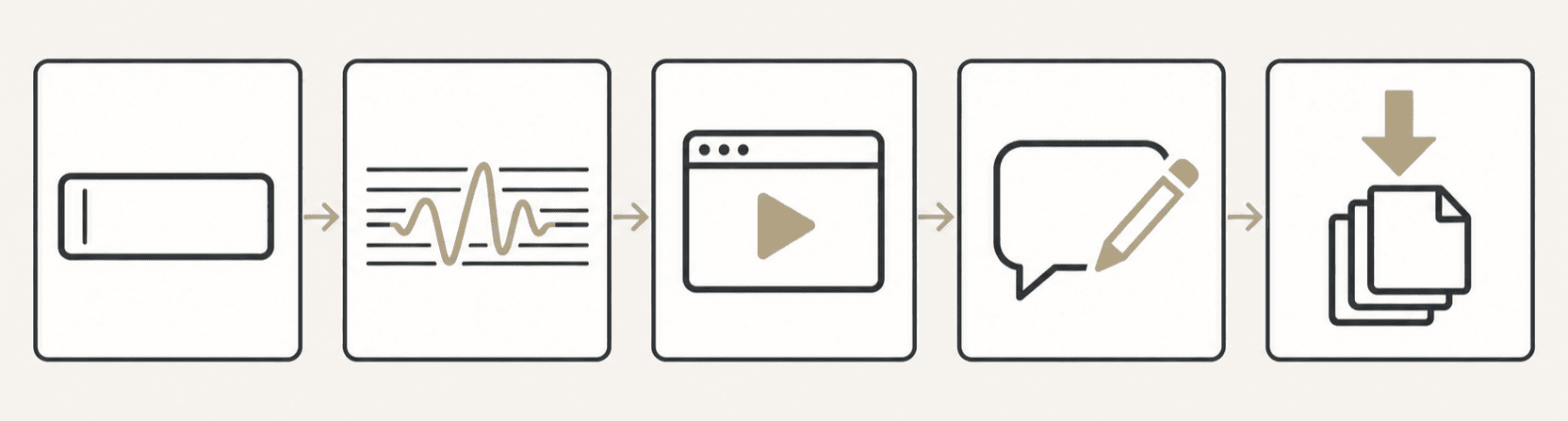
- Describe. You describe the desired effect or instrument in everyday language, including corner frequencies, levels, and bypass behavior.
- Generate. A language model writes the C++ code for sound processing and simultaneously plans the user interface – control positions, fonts, colors. What was previously classic VST programming now happens in a text field.
- Check in browser. The build is compiled using WebAssembly and can be played immediately, even with your own audio files.
- Sharpening in the chat. Corrections modify the existing DSP code instead of rebuilding everything.
- Export. Either as binaries for Windows, macOS and Linux – or as a complete CMake project with source code.
Step 5 is the really interesting one. Sonorie isn't based on JUCE, the framework on which most commercial audio plugins run, but on its own open-source toolkit under the Apache 2.0 license. The developer explains this in their blog with a clause in the JUCE license that specifically prohibits this business model: products that themselves generate other products are excluded. For you as a user, this means you get a project without a third-party framework license, which you can develop further yourself or have a developer develop further.
Building your own VST plugin: a comparison of the four methods
Those wanting to create a VST plugin using AI now have several providers to choose from. What began as a promise of building audio plugins without programming knowledge has become an entire category in 2026 – and the differences between the providers are greater than the headlines suggest.
| provider | Way | Formats | source | Price (as of 15.09.2026) |
|---|---|---|---|---|
| Sonorous | Text in chat | VST3, AU, CLAP, LV2, standalone | Yes, CMake project | Subscription, no free access |
| pluginmaker.ai | Text in the browser | VST3, AU | not shown | Free with 50 credits, Pro $30/month, Studio $100/month |
| Audioloom | visual toolkit in the DAW | VST3, AU, AAX | No, only binaries. | Marketplace model |
| Imagine Plugins | Drag-and-drop | VST3, AU, AAX | No, binaries with installer and signature. | Free demo, $199/plugin personal, $1.000/plugin commercial |
Two things stand out. First: AAX is not listed in the format list of text-to-plugin services. Those working in Pro Tools will find Sonorie and pluginmaker.ai incompatible, according to their own statements; however, these visual toolkits do support the format. Secondly, only Sonorie releases the source code. This might sound like a minor detail for developers, but it's the difference between "unusable result, money wasted" and "unusable result, but someone can fix it."
Want to know if your mix really sounds the way you think it does – regardless of which plugins are in your chain? Send it to us.
The most important finding is the error, not the success.
During the test run, the output level indicator didn't work: the graphic was there, but the numerical value above it didn't change. A cosmetic defect – and yet the most instructive moment of the entire test.
The provider therefore writes it in his own [document/section/etc.] Terms & ConditionsEvery build goes through automated checks for compilability, numerical stability, and measured acceptance criteria. But, literally: “Nothing generated here should be assumed correct because it compiled.” None of this should be considered correct just because it compiles.
That's precisely where the dividing line lies. An audio plugin that loads and passes sound through is by no means necessarily one that belongs on a mix bus. Compilable code is a technical statement, not a sonic one. Whether a saturation musically reacts whether a Compressor at fast transients pumps, whether a distortion without Oversampling Aliasing reflects back into the audible range, whether a filter is positioned close to the Nyquist Frequency its frequency response is distorted – no compiler or fidelity score can answer that. The provider also clarifies this: Such measurements are “a tool for iterating, not a certification”.
Selling an AI-generated plugin: what's in the fine print
We have read the terms and conditions dated August 1, 2026. Seven points not mentioned in the video that are relevant before subscribing:
Ownership and protectability
- Your plugin belongs to you – with two honest limitations. The provider makes no claim to ownership; you are free to modify, distribute, and sell the work commercially without a license fee. However, they also state that they cannot guarantee the result is eligible for copyright protection, nor that it is unique: similar prompts generate similar code. This is relevant under German law because Section 2, Paragraph 2 of the German Copyright Act (UrhG) requires a "personal intellectual creation" for a protected work—and with a predominantly machine-generated result, the human contribution remains an open question. "You own it" therefore does not necessarily mean "only you own it": where no copyright arises, there is no exclusive right.
Foreign rights in one's own output
- The direction that hardly anyone thinks about. The provider explicitly excludes any guarantee that the generated code is original or infringes on third-party rights. A model that has learned from existing code can very closely reproduce known algorithms. As long as you use it to build your own monitoring system, this is inconsequential – as soon as you sell it, you bear this risk alone.
- The information regarding Steinberg registration is outdated. The terms and conditions state that commercial VST3 distribution requires registration with Steinberg under their VST3 license. This was the case for years – but has not been since SDK 3.8: Steinberg released version 3.8.0 on October 20, 2025, officially announced it on October 29, and placed the VST3 SDK under the MIT license. (In the official...) Steinberg Developer Portal It states that the only obligations are a copyright notice and license text, and: “You may distribute or sell your plug-in/host in binary form.” A licensing agreement with Steinberg is no longer necessary.
Costs, marketplace and liability
- You're not buying a quota of plugins, but a computing budget. Billing is based on actual computing power, displayed as a percentage. Any marketing statement such as "approximately N builds per month" is explicitly an estimate and not a guarantee, as stated in the contract. Aborted, failed, or automatically repaired builds still consume budget, and unused budget expires at the end of the period.
- The marketplace takes 20 percent. Payout via Stripe Connect; your share will be held for 14 days. When we checked on September 15, 2026, it said: "No plugins for sale yet" – not a single plugin available for sale.
- Liability is capped. The limit is the amount paid in twelve months or US$50, whichever is higher. Damage to equipment and hearing is expressly excluded. Whether such an exclusion is legally valid against consumers in Germany is another question: Section 309 No. 7 of the German Civil Code (BGB) declares pre-formulated liability limits for damages to life, body, and health, as well as for gross negligence, to be invalid.
- There is no guarantee. Regarding correctness, stability, efficiency, originality, copyright-free status, or suitability for professional use. This is stated in the disclaimer.
Nevertheless, this isn't a criticism of the provider – these clauses are unusually openly worded for this category. But they describe quite accurately what you're responsible for when you include such a plugin in a client project.
Note: This section reflects the version of the Terms and Conditions as of August 1, 2026, accessed on September 15, 2026, and does not constitute legal advice. Anyone wishing to commercially exploit generated plugins should seek legal counsel to clarify licensing and copyright issues.
Audio security: the paragraph that hardly anyone reads
The terms and conditions have a dedicated section on audio safety. Generated DSP code can cause sudden level jumps, feedback, self-oscillation, or DC offset This can cause problems, especially while you're tinkering with it. While automatic checks catch most of the worst issues, they don't catch everything. Its use in sound reinforcement, broadcasting, and anywhere else where a fault could cause damage is explicitly excluded.
The trade press agrees. Bedroom Producers Blog As he put it in April 2026: Audio is a real-time system, and a plugin that loses a buffer will take the session down.
Why an audio plugin stumbles in the audio thread due to AI
This is because there's a rule behind it that generated code often violates: Nothing is allowed to happen in the audio thread whose duration is unpredictable – no memory requests, no locking, no file accesses. A language model, however, initially writes perfectly normal C++, and normal C++ does exactly that. The problem only becomes audible under load: With a large buffer size, everything runs smoothly, but at 64 samples, it crackles. Therefore, anyone who seriously intends to use a generated plugin should test it with the smallest buffer size they would typically use – not the most convenient one.
Signature and notarization on the Mac
Furthermore, there's a second practical hurdle: Plugins from outside the App Store must be signed and notarized by Apple; otherwise, the system will block them, or the DAW won't even accept them. In the documented test run, the plugin loaded into Cubase without incident; however, I wouldn't rely on that. Before subscribing, check whether the provider delivers signed and notarized binaries—for a plugin you only use yourself, this is convenient; for one you intend to sell, it's essential.
In practical terms, this means: Only load an AI-generated plugin for the first time with the monitor level turned down significantly, never via headphones first, and never directly during an ongoing customer session. A look at a Loudness meter and the True Peak Before and after the insert takes thirty seconds and can save you a ruined evening.
UNSURE ABOUT A PLUGIN? ASK US DIRECTLY
Send us a message - we usually reply within 3 hours on working days.
- Personal point of contact
- Over 20 years of experience
- Highest quality standards
You can reach us by phone from Monday to Friday from 9 a.m. to 8 p.m.
Things you should not write in the prompt
The privacy policy page is remarkably clear in one respect. Prompts are sent to external AI service providers, who, according to the provider, are currently located in the US and China; they are not named, but will be provided upon request. And then there is the sentence that matters to anyone working for clients: No personal, confidential, or customer-related Write information into a prompt.
For a monitoring tool, this has no consequences. Anyone building an audio plugin using AI is on the safe side. However, as soon as you describe the signal chain of an ongoing project, an artist's name, or an unreleased production, this information leaves your studio. The provider excludes custom model training on user-generated content – that's the good news; what the AI service providers do with the data under their own terms remains unaffected.
Where an AI-generated plugin makes sense in a professional chain
We at Peak-Studios have been working with for years AI-powered tools in mixing and masteringAnd the experience gained there translates almost directly. The difference with this new category: With a purchased AI plugin, a DSP team decided how it sounds. Research approaches where a The language model sets the parameters of existing effects.The tools themselves remain untouched. What's new here is something else: The tool itself is created on demand – and nobody but you tests it.
Useful: a plugin that doesn't require programming for testing and switching.
Therefore, its use is useful where a plugin is needed. something is being checked or switched, instead of shaping sound.:
- Monitoring switches like in the test example: Mono check, telephone band, silent monitoring, mid-range window. Exactly the tasks for which you would otherwise need three plugins and a mouse.
- Measurement tools and switches for references with clearly defined behavior.
- Utility stuff: channel swapping, phase reversal, fixed level offsets in Decibel, Mid-side disassembly for inspection.
Tricky situation: when sound is the product
However, things get tricky as soon as sound quality is the product. Limiter at the end of a mastering chain, it is decided about Clipping, loudness and Dynamic Range Every single decision that has gone into twenty years of product development counts there. Anyone who has that generated during a coffee break and then throws it into a mastering chain without checking it is trading a known tool for an unknown risk. That's perfectly fine for your own productions. But it's not a good idea for client material.
SynthEdit déjà vu
This discussion has a precedent. Building a plugin without programming is not a new idea: In the 2000s, SynthEdit allowed precisely that without C++, and the market filled with thousands of free plugins of widely varying quality. The label "SynthEdit plugin" became a term of abuse – and in doing so, it also targeted solid work by competent developers.
Moreover, the same pattern is emerging. There will be a lot of broken products that one has to filter through. And among them will be tools that solve precisely one problem that no manufacturer has ever tackled because the market isn't worth it. So, both at the same time.
Conclusion: Creating VST plugins using AI – when it's worthwhile
Creating a VST plugin using AI works – faster and more completely than anyone would have thought possible two years ago, including source code and binaries for three systems. What it doesn't replace, however, is the decision of whether the result is good enough. That decision is still made by a trained ear, not by a compiler or a fidelity score.
Therefore, our recommendation: Use this to build the monitoring and measurement tools you're missing in your daily work. Test every generated plugin at a low level before it's included in a session. And keep client material out of the prompts.
Are you unsure whether a tool in your chain is really doing what you think it is? That's exactly what we'll look at – in mixing and mastering lessons on your own project, instead of a demo song.
FAQ: Frequently asked questions about AI-generated VST plugins
How do you program a plugin?
First, the classic approach is to build it in C++ using Steinberg's VST SDK, usually with the JUCE framework. Forums agree: the framework is quick to build, the real challenge is signal processing – filters, dynamics, transformations. This is precisely the part that the new AI services handle.
What is a VST plugin?
In short: a program component that a DAW loads to create or edit audio. VST is the standard developed by Steinberg, currently in version 3; AU is Apple's equivalent, AAX is the format used by Pro Tools, and CLAP is a more recent open standard.
Are there any free VST plugins from AI generators?
Generally, you can keep the plugins you create, but the tools themselves usually cost money. pluginmaker.ai offers free access with a few credits; downloading to your DAW only starts with a paid plan. Sonorie does not offer free access.
Am I allowed to sell an AI-generated plugin?
Sonorie explicitly states yes, without any license fee payable to the provider. The registration requirement mentioned in Steinberg's terms and conditions no longer applies since the MIT license for the VST 3 SDK (3.8.0, October 2025). However, it remains unclear whether a machine-generated result is protected by copyright – the provider does not guarantee this. This is not legal advice: If you are considering selling, consult a lawyer specializing in this area.
Can I use a plugin built like this in a client production?
Technically, yes, but liability is only assumed after your own testing. The terms of use exclude any warranty of suitability for professional use and limit liability to US$50. Consequently, the user bears sole responsibility for the results.
What plugin formats will I receive?
Specifically, Sonorie exports VST in version 3, AU, CLAP, LV2, and a standalone application for Windows, macOS, and Linux. AAX for Pro Tools is not included – for that, you'll need the visual plugins Audioloom or Imagine Plugins.