
Loudness Meter online: Analyze LUFS & True Peak with Codec Check
A loudness meter It shows you in seconds how loud your song really is – measured in LUFS (Integrated, Short-Term, Momentary) and True Peak (dBTP). Upload your file to the LUFS analyzer below, play it, and you'll see the integrated loudness as well as your true peak level. Your audio file stays in your browser – no upload, no storage on a server.
Unique: As the only free browser tool, Loudness Meter sends your master through the real streaming codecs – Ogg Vorbis (Spotify), AAC (Apple Music, TIDAL), Opus (YouTube) and MP3 – and you You listen and measure how it really sounds after platform compression., including true peaking after the codec. Other free tools only simulate the volume; a true codec preview is otherwise only available in paid DAW plugins.
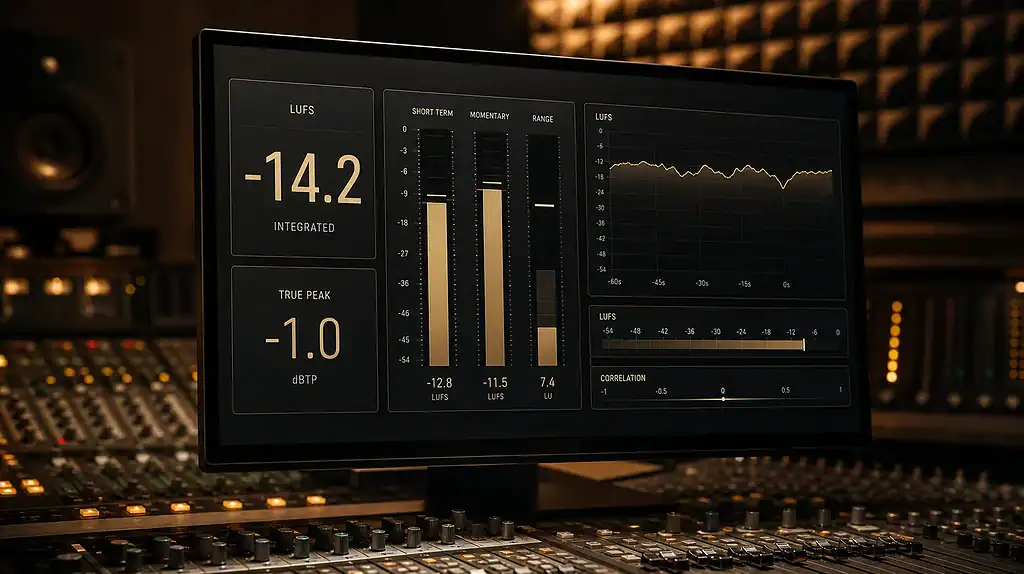
LUFS analyzer
Miss Integrated LUFS & True Peak your songs and see how loud they sound on Spotify, YouTube & Co. Individually or as a whole album.
Drag audio files here or Select files
WAV, MP3, AAC, FLAC — multiple files can be uploaded simultaneously.
No upload — your files will not be uploaded or saved; the measurement runs locally in your browser.
Analyze…
| Track | LUFS | True Peak | LRA |
|---|
Send your track through the real streaming codec and see how it sounds. True Peak and loudness changes — inter-sample peaks can shoot above 0 dBTP and clip after data reduction. Encode → Decode → remeasured, completely in the browser.
| reading | Original | After codec | Δ |
|---|---|---|---|
| Integrated LUFS | |||
| True Peak (dBTP) | |||
| Loudness Range (LU) |
Adaptation per streaming service
The track plays this loud relative to the platform's loudness target — negative means it is adjusted to be quieter (often called "Loudness Penalty").
Preview – Original vs. Platform
Hear the difference: Original versus the loudness adjustment of the chosen platform.
Unsure if your mixes are streaming-proof? Professional mix analysis · online mastering.
Request a mix analysisThe measurement in the browser follows ITU-R BS.1770-4 / EBU R128 and is practical, but does not replace a certified broadcast measurement device – minor deviations are possible depending on the file format and browser decoding. The platform target values are as of 2026 and are subject to change.
What is a loudness meter?
A loudness meter is a measuring tool that measures the perceived loudness of an audio signal according to the ITU-R BS.1770 standard. EBU R128 calculated. Unlike a classic peak meter, which only measures the peak level in Decibel In contrast, a loudness meter displays how loud a mix or master sounds to the human ear.
How a loudness meter calculates loudness
The measurement uses a K-weighting filter that replicates the frequency weighting of human hearing. Additionally, a gating process is employed to exclude very quiet passages from the calculation. As a result, the integrated loudness corresponds to the actual listening experience and not just the loudest moment.
In addition to LUFS, many meters also display the RMS level as an averaged energy value; we explain the difference in the article on... RMSOur LUFS analyzer also provides practical measurements according to BS.1770-4 and R128 directly in the browser. While this is accurate enough to classify your mix before uploading, it does not replace a certified broadcast meter for broadcast acceptance testing.
What does LUFS mean?
LUFS stands for "Loudness Units relative to Full Scale"—the standardized unit for perceived loudness. A loudness meter distinguishes three time windows: Integrated First, it measures across the entire track (the crucial value for streaming), Short Term on the other hand, over three seconds and momentary Finally, over 400 milliseconds. You can also find a detailed explanation of the unit, the scale, and loudness measurement on our website. What does LUFS mean?
True Peak as a supplement to loudness
The True Peak (dBTP) It complements the LUFS measurement. Specifically, it captures the true inter-sample peaks between the digital samples – that is, the level that occurs during the converter or actually occurs with a lossy codec. Otherwise, this exact level will later cause problems. Clipping.
How streaming services normalize volume
Streaming services play all tracks at a uniform target loudness so you don't have to constantly adjust the volume when switching between tracks. To achieve this, normalization compares the measured integrated loudness of your song—the value displayed by the loudness meter at the top—with the platform's target loudness and adjusts playback accordingly. Please note that the following target values are based on the 2026 standard and are subject to change.
| Platform | Target Loudness (Integrated) | Behavior |
|---|---|---|
| Spotify | -14 LUFS (Loud mode -11) | It amplifies quiet tracks and reduces loud ones. |
| Apple Music (Sound Check) | -16 LUFS | It amplifies quiet tracks and reduces loud ones. |
| YouTube | -14 LUFS | It usually only reduces the power. |
| TIDAL | -14 LUFS | It usually only reduces the power. |
| Amazon Music | -14 LUFS | It usually only reduces the power. |
| Deezer | -15 LUFS | It usually only reduces the power. |
Calculate the loudness penalty
You basically calculate the adjustment as Target – measured LUFSA negative value therefore means your track will play back more quietly – this reduction is often referred to as a "loudness penalty". We've also compiled information on which platform uses which rule under [link/section name]. Streaming services & upload and especially for YouTube Music broken down. If your mix generally sounds worse on streaming platforms, it's also worth taking a look at... the most common causes.
How loud should you master?
The platform targets are Playback values, not mastering goals. So, anyone who stubbornly masters at -14 LUFS is giving away dynamics and punch without sounding louder – because the service adjusts to its target anyway.
It is therefore more sensible to focus on the desired sound and the Dynamic Range to master the audio while keeping the true peak safely below -1 dBTP. For masters louder than -14 LUFS, Spotify even recommends -2 dBTP to prevent clipping after data reduction.
Guidelines per genre
How loud is appropriate in each individual case also depends heavily on the genre – therefore, we have broken it down in detail for each style:
- How loud to master hip-hop & rap music?
- How loud to master EDM music?
- How to master loud techno?
- How loud to master metal music?
- How loud to master singer/songwriter music?
As a rough guideline: Club and EDM often end up at -6 to -9 LUFS, Pop Rock music, on the other hand, is best played at -9 to -12 LUFS, while dynamic and acoustic productions are best played at -14 LUFS or quieter. Our guide provides a complete overview. How loud should you master?
Balancing loudness and dynamics
Measure your track beforehand with the loudness meter above, then you'll immediately see where you stand. The crucial factor remains the relationship between loudness and dynamics: A Limiter does create headroom and level, but too much of it flattens the track. A good master therefore sounds consistent on every platform – and not just on a single number. If you want to hear what a professional can get out of your track before booking a full mastering session: At Test mastering for €10 An engineer edits a section of your song, and you directly compare the result with your own mix.
Streaming-ready master for your tracks?
Other free tools from Peak-Studios
In addition to the loudness meter, our other free tools will help you with mixing and mastering directly in your browser:
- BPM calculator – determine the tempo of your track.
- Suno Prompt Generator – Formulate better prompts for your AI songs and then check their loudness here.
- Compressor release time calculator – Adjust the release time of your compressor to the tempo.
- All tools at a glance: Tool overview.
FAQ – Frequently Asked Questions about the Loudness Meter
Does the loudness meter upload my audio file?
No. The loudness meter works entirely within your browser via the Web Audio API. Your file never leaves your device and is not stored on a server.
What does a negative adjustment value mean?
A negative value means your track is louder than the platform's target volume and will be played back at a lower level. For example, -8 LUFS measured with a Spotify target of -14 results in -6 – the song will play back approximately 6 dB quieter.
Should I master at -14 LUFS?
No. -14 LUFS is a playback target, not a mastering target. Master to the desired sound and dynamics of your genre and keep the true peak below -1 dBTP – the platform will handle the rest.
What is True Peak?
True Peak (dBTP) is the actual peak level, including inter-sample peaks between digital samples. It can be higher than the displayed sample peak and causes distortion in the converter or MP3 codec if it exceeds 0 dBTP. Therefore, most platforms recommend a limit of -1 dBTP.
Why does my song sound quieter on Spotify?
Because Spotify normalizes loudness: If your master track is louder than -14 LUFS, it will be turned down during playback. This isn't a bug, but rather the loudness adjustment that brings all tracks to a uniform level.
How many LUFS are good for streaming?
For Spotify, YouTube, TIDAL and Amazon Music, -14 LUFS Integrated is the reference value, Apple Music uses -16, Deezer -15. However, these are playback targets: you don't have to master exactly for them, but for a good, dynamic sound with a true peak below -1 dBTP.
How many decibels correspond to one LUFS?
One LUFS corresponds to a 1 dB change in perceived loudness – the scales are identical. However, LUFS is weighted over time and frequency (K-weighting + gating), whereas a pure decibel level value only describes the instantaneous level.
How accurately does the loudness meter in the browser measure?
The loudness meter measures in a practical manner according to ITU-R BS.1770-4 and EBU R128 and is sufficient to classify your mix before uploading. For certified broadcast approval, you still need a calibrated broadcast meter.