Suno Advanced Split: Extract real stems from AI songs

On June 11, 2026, Suno released Advanced Split, a new feature that no longer splits AI-generated songs into individual tracks, but instead completely regenerates each track. The result: significantly cleaner stems – without the typical artifacts and crosstalk of traditional splitting methods. For anyone processing Suno material in a DAW, this is arguably the most important bridge between AI generation and professional production. We'll analyze this feature from the perspective of... mixing- and mastering-Studios – with all the advantages and disadvantages that really matter in practice.

Our guide explains the entire Suno workflow from A to Z. Suno Tutorial.

Table of Contents

What is Suno Advanced Split?

Advanced Split is a new stem separation mode in Suno (as of release June 11, 2026, Suno v5.5). Instead of splitting a finished mix into individual tracks using frequency analysis, the AI ​​completely regenerates the selected track – for example, just the drums or just the bass. You choose from around 100 predefined instruments, in Suno's own words "from drum kit to didgeridoo," and then load the result. This feature is part of Suno's stem separation and is primarily aimed at producers who want to seriously work with the individual tracks – whether for remixing, sampling, or integrating them into an existing arrangement.

Suno itself describes the result in the announcement as "cleaner, crisper, free from artifacts and ready to drop into your track". This very claim – finished, clean tracks instead of computationally extracted fragments – is the real core of the update.

Stems – briefly explained

A Stem A stem is a single track within a song: just the vocals, just the drums, just the bass. In a traditional production, stems are created naturally because each instrument is on its own track from the start. If you only need the drums, you mute all the other tracks – done. However, with an AI-generated song, these separate tracks don't exist. The AI ​​delivers a finished product. Stereo mix, in which all instruments are inextricably fused together.

A good analogy is a smoothie: You throw a banana, a strawberry, and a little spinach into the blender and get a homogenous drink. If someone then wants "just the banana" back, that's practically impossible – even with great skill, you can never completely separate it from the rest. This is precisely the problem with stem separation from a finished mix. And this is exactly where Suno Advanced Split comes in: with an approach that extracts these AI stems from the mix more cleanly than ever before.

How classic stem separation works – and why it reaches its limits

To understand why Advanced Split represents a real leap forward, it's worth taking a look at the previous technology. Classic stem splitting – whether in Suno, specialized tools, or many plugins – works via frequency analysis. Put simply, the model converts the audio signal into a spectrogram, a representation of which frequencies occur at what time and at what volume. The model then attempts to calculate a kind of mask for each sound source: Which frequency ranges belong to the vocals, which to the bass, and which to the drums? These ranges are extracted and combined into a single track.

It works surprisingly well – but not perfectly. Anyone who has ever worked with separate stems is familiar with the typical weaknesses:

  • Artifacts: Small calculation errors occur at the edges of the separation, which become audible as a "tinny", watery or slightly washed-out sound. Especially Hall flags and fading notes often cut off abruptly.
  • Crosstalk: Because instruments share frequency ranges, remnants of other tracks remain in the supposedly isolated track. The drums then faintly linger in the vocal track, and a synth pad shimmers through in the bass.
  • Phase problems: When the separated tracks are reassembled, the sum signal does not always match cleanly because phase information is lost during the separation process.
  • Audible AI performance: Ultimately, the material often sounds noticeably "like AI" – and that's exactly what you don't want in a serious production.

The new approach: regenerate instead of extracting.

Advanced Split takes the opposite approach. Instead of extracting a track from the mix, Suno analyzes, for example, what the drums are playing and how they sound – and then completely regenerates that track. This may sound like a small difference, but it has significant consequences.

Because nothing is removed from the original signal, there are no separation artifacts or crosstalk. There are no remnants of other instruments in the track, and there are no phase issues because the track is recreated as an independent, clean audio signal. The result is a single track that sounds as if it were recorded in isolation from the start—not as if it were subsequently extracted from a mix.

This is precisely the crucial conceptual point: Auto Split and Split from Mix correspond to the existing, frequency-based technology. Advanced Split is the fundamentally different, generative approach.

Do you have AI stems or a recording you want to get more out of? We'll bring your tracks to a professional level.

The three stem modes of Suno Advanced Split
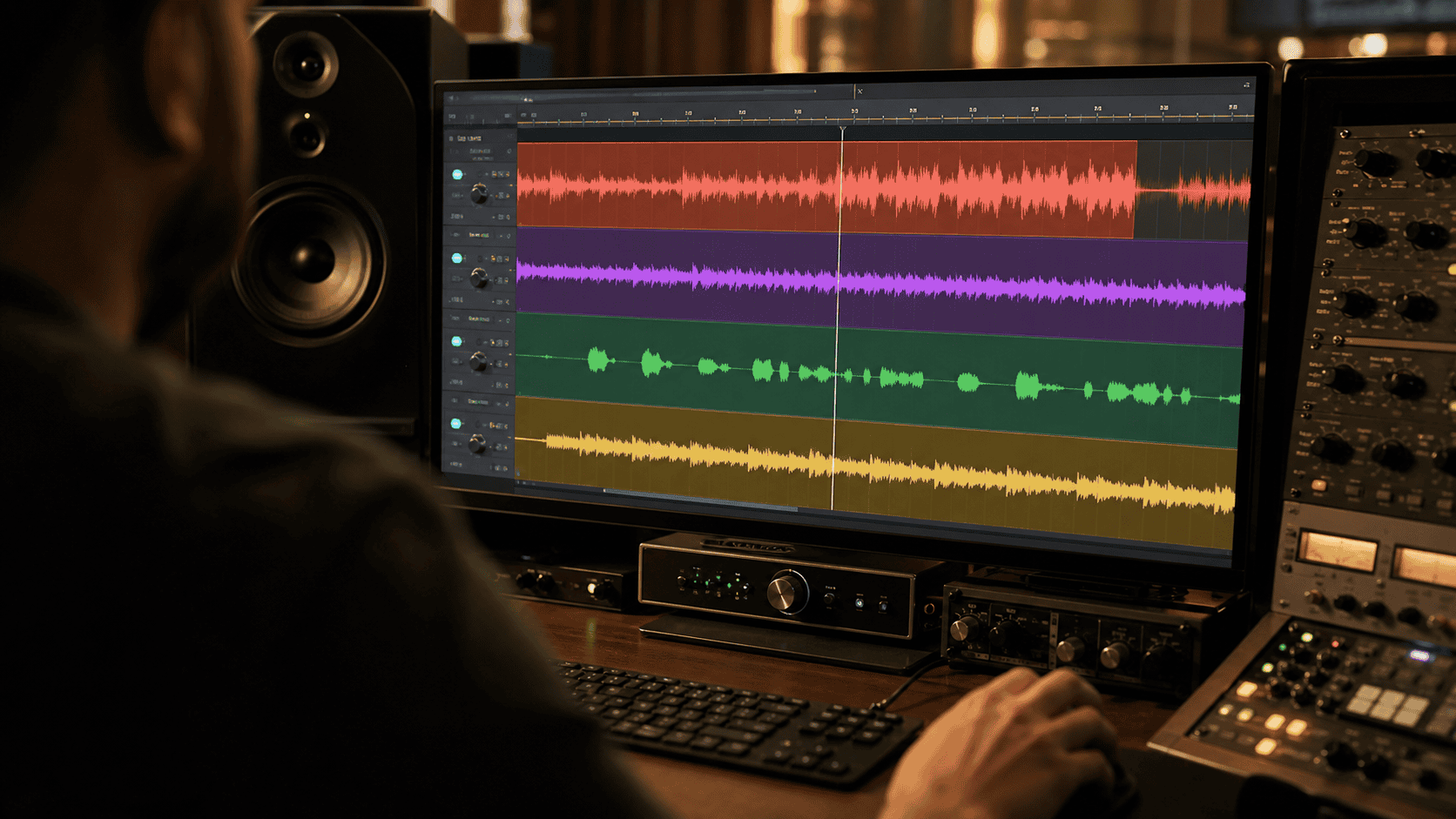
DAW screen with song separated into individual colored tracks: drums, bass, vocals, keyboards

Suno offers three ways to generate stems – accessible via the three dots on the song and the menu item "Extract Stems and MIDI". Each has its own logic, price, and intended use.

  • Auto Split: The AI ​​analyzes the song itself and automatically breaks it down into up to 12 track groups – such as lead vocals, backing vocals, drums, bass, guitar, keyboards, percussion, strings, brass, and woodwinds. You don't have to select anything; Suno decides. Cost: 50 credits per extraction. Available with Pro and Premier subscriptions.
  • Split from Mix: You select a single instrument or vocals and receive two files back – the selected track and the complete rest. A classic example: you separate the vocals and then have an acapella and a karaoke version – handy if you want to reuse the AI ​​vocals or replace with your own voice Want. Cost: 10 credits per extraction (20 for both lanes). Available for Pro and Premier.
  • Advanced Split: The new generative mode. You select from approximately 100 instruments – via "Search for Instrument" – and have the track regenerated. Cost: 10 credits per extracted track. Premier subscribers only.

An important point from Suno himself: If you try to extract an instrument that isn't even in the song, it can still cost you credits – without delivering a usable result. So it's worth listening carefully beforehand to see which elements are actually in the mix.

The advantages of Advanced Split

The functionality and Suno's own description reveal clear strengths that are particularly important when you need individual high-quality tracks:

  • Cleaner individual lanes: Bass, vocals, and drums sound significantly clearer without the typical separation artifacts. Vocals extracted as a cappella are freer from background noise.
  • No crosstalk: Because each track is generated independently, no foreign instruments are faintly audible – invaluable when remixing and sampling.
  • No phase problems: Since nothing is subtracted from the original signal, there are no phase conflicts when mixing.
  • Targeted control: With around 100 selectable instruments, you decide what gets extracted.
  • Less “AI sound”: The material appears less artificial and is more suitable for serious production.

The limitations: disadvantages and what you need to be aware of

As strong as the new mode is, a few limitations must be honestly stated, otherwise false expectations will arise:

  • No 1:1 reconstruction: Because each track is generated anew, the sound isn't exactly the same. When you reassemble all the tracks, sometimes an element is missing, sometimes one is duplicated. For an exact reconstruction of the original mix, the old auto-split function is sometimes closer.
  • Sound variations in detail: A newly generated synthesizer will hit the pitch, but not necessarily exactly the original sound or filter behavior.
  • Premier duty: Advanced Split is exclusively available to Premier subscribers.
  • Credit consumption without guarantee: An instrument that is not present in the song still costs credits, without any usable result.
  • Raw material, not a finished song: How clean stems ultimately sound together is only decided during mixing and mastering.

Ready to take your stems to a professional level?

Send us a message - we usually reply within 3 hours on working days.

You can reach us by phone from Monday to Friday from 9 a.m. to 8 p.m.

MIDI export from Advanced Split: possibilities and limitations

You can also generate MIDI from the stems (Get MIDI, 10 credits per track). This is useful if you want to reassign the played notes with your own sounds in your DAW or analyze a harmony. Suno generates a MIDI file that represents the melodic or rhythmic content of the track.

In practice, MIDI recognition usually accurately captures the correct pitches, but only roughly the rhythm. Where the original contains continuous sixteenth notes, Suno often only recognizes eighth notes; in the drum kit, the kick and hi-hat end up in simplified patterns. With chords, sometimes a note is left unplayed, whereas in the original several notes change. MIDI is therefore an approximation, not an exact replica.

To be honest: Anyone who can play an instrument can usually reproduce such a line themselves faster than they can edit the AI ​​MIDI file. However, for those who can't play or don't have a trained ear, the MIDI file provides a usable starting point that can then be refined. A helpful starting point – not a finished arrangement.

The real killer feature: uploading your own DAW songs

Perhaps the most exciting aspect is easily overlooked: Advanced Split can be applied not only to AI-generated songs, but also to your own material produced in your DAW using real instruments. You upload your song and let the AI ​​regenerate the individual tracks – cleanly, without frequency separation.

This opens up a completely new perspective for hybrid production. Imagine you have a recording from which you no longer have separate tracks, but you want to process the bass in isolation. This is exactly where regeneration can help.

However, two important limitations remain. First, the result is still a new generation, not a 1:1 replica of your original – anyone requiring absolute sonic fidelity to the recorded material should keep this in mind. Second, a block applies to copyrighted material: published songs by other artists cannot be uploaded. We explain in detail who legally owns an AI-generated song in the article on [topic missing]. Copyright in AI-generated songs.

Advanced Split in practice: typical use cases

What are the specific benefits of Advanced Split? Here are a few typical scenarios:

  • Remix and Edit: You get just the vocals or just the drums in high quality and build a new track around them.
  • Sampling: Clean individual elements without crosstalk are significantly better suited for resampling than separations containing artifacts.
  • Practice playback: As an instrumentalist or singer, you create a playback without your own track and practice or play live over it.
  • Arrangement components: You incorporate individual AI elements into your DAW arrangement, such as a string pad or a percussion pattern.
  • Analysis and learning: The MIDI export lets you see which notes are being played and learn from that.

Advantages and disadvantages at a glance

The advantages: Significantly cleaner individual tracks, no crosstalk, no phase problems, targeted selection from around 100 instruments, less audible AI character, and the ability to upload your own DAW songs and have them deconstructed.

The disadvantages: No exact 1:1 reconstruction of the original, sonic deviations in detail, Premier subscription absolutely necessary, credit consumption even with unsuccessful extractions, MIDI recognition that only approximates rhythmically – and the fundamental fact that even perfect stems only become a finished song through mixing and mastering.

What this means for your production

Hands on the faders of a mixing console, an AI music interface in the background – hybrid production

Suno Advanced Split makes a strong case for precisely the workflow that will be defining in the coming years: hybrid production. Not "either AI or DAW," but a clever combination of both. You work in Logic, Ableton, Bitwig, or FL Studio and set AI in music production to specifically generate individual tracks or ideas and bring the elements into your arrangement in high quality.

But this is precisely where the capabilities of AI-powered separation end – and where the real work begins. Whether and where AI can completely replace mixing and mastering. Whether that's possible is a separate question. Clean stems are raw material, not a finished song. Level ratios, Frequency balance, Depth Staging, stereo width and dynamics The final sound only emerges during mixing. loudness The translation for all playback devices takes place during mastering. AI provides you with the building blocks in better quality than ever before – how they ultimately sound together is an artistic and technical decision.

Furthermore, newly generated tracks bring their own idiosyncrasies. Sometimes a track is louder than expected, sometimes an element is slightly off-time, sometimes the timbre doesn't match the rest. Balancing all of this is precisely the work an experienced ear performs in mixing – and it's work that no automated process can replace.

If you want to elevate AI stems or hybrid-produced material to a professional level, we at Peak-Studios take care of precisely this step: mixing that shapes the tracks into a cohesive whole, and mastering that makes your song powerful and consistent. We also offer... Mastering AI songs from Suno It's long been part of our everyday life.

Credits and requirements at a glance

Advanced Split is reserved for Premier subscribers and costs 10 credits per extracted track. Auto Split costs 50 credits per extraction, Split from Mix 10 credits per extraction (20 credits for both tracks) – both are also available in the Pro subscription. MIDI export via Get MIDI costs 10 credits per track. All information is correct as of June 2026; Suno may change prices and terms at any time, see the [link to relevant page/document/etc.]. current help It's worthwhile before any major extraction.

Workflow tips for the DAW

To ensure the material arrives cleanly in your DAW, a few simple points will help. Download the tracks as WAV files, not as a compressed format – this is the only way to retain the full quality for further processing. Also, pay attention to the "Fix Tempo" option instead of "Follow Tempo Changes": AI music fluctuates slightly in tempo, and for working in a DAW, you generally want a constant tempo from beginning to end so that the tracks are neatly aligned. If you're extracting multiple tracks from the same song, drag them into your project chronologically so they are in phase. If you end up with several finished individual tracks, it's often necessary to... Stem mastering the cleanest way to achieve a consistent overall sound.

Conclusion

Suno Advanced Split is more than just an update – it shifts the line between AI generation and serious production. For clean individual tracks, the regeneration of the old frequency split is clearly superior, and the ability to upload your own DAW songs is a real game-changer for hybrid production. For the exact reconstruction of a mix, the old method remains more faithful in some cases, and MIDI recognition is a starting point, not a replacement for your own playing.

Ultimately, with Advanced Split you get higher quality raw material than ever before. The crucial final step – turning good stems into a song that sounds great on any system – remains a craft. That's exactly what we're here for.

You produced your song with Suno or a hybrid method and want to get the most out of your stems? Upload your material – we'll tell you honestly what mixing and mastering can do with it.

FAQ: Frequently Asked Questions about Suno Advanced Split

Advanced Split costs 10 credits per extracted track and is reserved for Premier subscribers. Auto Split costs 50 credits, Split from Mix 10 credits per extraction (both also available with a Pro subscription). As of June 2026.

Auto Split separates the finished mix into up to 12 tracks using frequency analysis. Advanced Split, on the other hand, generates the selected track completely anew – thus without separation artifacts and crosstalk, but not exactly identical to the original.

Yes. Advanced Split can also be applied to your own material produced in your DAW. Suno blocks copyrighted, published songs by other artists.

You download the tracks as WAV files (recommended for further processing in your DAW). You can also generate MIDI from the stems. Select "Fix Tempo" if you need a constant tempo in your DAW.

The pitches are usually accurate, but the rhythm is often simplified (eighth notes instead of sixteenth notes). It's a helpful starting point – anyone who plays an instrument can usually reproduce the line more quickly themselves.

For clean individual tracks, yes: bass, vocals, and drums are noticeably clearer with Advanced Split, without artifacts or crosstalk. However, for the exact reconstruction of the complete original mix, the old Auto-Split method may be more faithful.

Yes, the generative Advanced Split mode is reserved for Premier subscribers. With a Pro subscription, you have access to Auto Split and Split from Mix.

Image by Chris Jones

Chris Jones

CEO – Mixing and Mastering Engineer. Founder of Peak-Studios (2006) and one of the first online service providers for professional audio mixing and mastering in Germany.