Mastering AI songs
What you absolutely have to consider with AI music
Table of Contents
- How to improve the quality of AI songs
How professional AI mastering works
AI-generated tracks bring their own mastering challenges — this guide shows you how to handle them professionally. Mastering Guide.
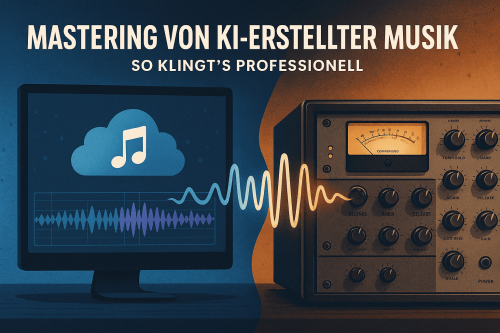
What does “AI music mastering” actually mean?
Mastering is the final step in the production process – even for music that was generated entirely or partially by AI.
Whether with Suno, Share, Birch, boomy or other tools: The raw AI output must be technically optimized to meet professional standards.
👉 Goal: a consistent, dynamic, streaming-compatible sound.
The Suno Prompt Generator You will create structured prompts for better and more reproducible Suno results.Why is export from Suno, Udio & Co. not enough?
AI systems generate music algorithmically – this means:
no conscious Dynamic design
little feeling for Mix-balance
often highly compressed, “flat” waveforms
missing stereo width or unnatural transients
A mastering process helps to compensate for these deficits and brings the production to a competitive level.
📌 More about this in the specialist article by Production Expert:
How AI is Changing Music Production
The most common sound problems with AI music
These symptoms are particularly common with AI tracks:
| Problem | Explanation |
|---|---|
| ❗ Hard transients | Kick, snare or vocals cut aggressively through the signal |
| ❗ Overemphasized mids | AI tends to exhibit an artificial presence in the 2–4 kHz range. |
| ❗ Flatness | Depth of field, no musical dynamics |
| ❗ Stereo weaknesses | Mono-heavy signals or unnatural Panning |
| ❗ Artificial-sounding vocals | Especially at generated votes – often sound nasal or synthetic |
🧠 Especially when Stems or stereo files from AI platforms can be a professional mastering make the difference.
How to improve the quality of AI songs
AI-generated songs often sound technically correct, but emotionally weak. If you have your Improve AI songs you should pay attention to the following points:
Check sound balance
Make sure the frequency response is balanced – many AI songs have overly present mids or muffled highs.Add saturation and analog warmth
Through targeted saturation or analog mastering tools, you can Making AI songs betterwithout overdriving them.Rework transients and groove
Transient designers allow you to precisely control the punch of the kick and snare – this improves the sense of rhythm.Adjust stereo image
Many AI songs are mono-centric. A targeted Stereo widening makes the production sound significantly “bigger”.
🎧 Peak-Studios offers special tools in the analog Stem mastering-process to To sustainably improve AI song quality – even with generated vocals we help you create a professional track.
How professional mastering of AI songs works
The mastering process is technically identical to conventional material – but the Approach is often corrective:
Analysis of the frequency spectrum
→ Conspicuous peaks or resonances are neutralizedDynamic processing
→ Use of Multiband compression, Limiting, possibly saturationStereo editing
→ Stabilize the center signal, broaden the side componentsLevel adjustment and loudness target values
→ -14 LUFS for Spotify, -1 dBTP True Peak
📈 Peak-Studios relies on analog summation and high-end gear like Masalec, Dangerous or Chandler to refine sterile AI sounds.
Tools and techniques in use
Some plugins and techniques that are particularly commonly used when mastering AI songs:
FabFilter Pro-Q4 – Frequency fine correction
Ozone Advanced – All-in-one solution for AI stems
Gyraf G22 / Dangerous Compressor – for analog saturation
Soothe2 – dynamic EQ against sharp resonances
De-Esser – indispensable for AI-generated vocals
💡 Tip: AI productions are not worse – they just behave differently. Mastering should respond to this.
Loudness standards & platform specifications
AI songs must also meet platform standards – otherwise there will be distortions during streaming:
| Platform | Max. True Peak | |
|---|---|---|
| Spotify | -1-2 dBTP | |
| Apple Music | -1-2 dBTP | |
| YouTube | -1-2 dBTP | |
| Tidal hifi | -2-2 dBTP |
📌 Source: Intersample Peaks – Why 2 dB True Peak Headroom is better.
A professional mastering takes these values into account and delivers the file in the best possible quality of the platforms.
Already at Online mixing services You should pay attention to the right preparation so that mastering for streaming services can get the best out of your track.
Mini tip for AI producers
🎯 Export your AI songs unmastered, in 24-bit WAV, without limiters.
So your mastering engineer make full use of the potential – without peaks that have already been irreversibly compressed.
Conclusion: AI doesn’t need humans – but human mastering
Whether chart hit or lo-fi loop – Artificial intelligence is revolutionizing the Music Production, but the final touch remains (still) Human craftsmanship.
Only with professional mastering does AI music sound like it came from a real studio – transparent, dynamic and ready for the audience.
🛠️ Peak-Studios offers analog & digital online mastering starting from €65.
→ Start mastering now
Besides good sound quality, the legal situation also matters: What are the legal considerations when it comes to... Copyright of AI songs Our guide will tell you who owns the song and whether you're allowed to use it. How to correctly label your AI track, as shown in our current guide.
We continuously collect the latest developments in the AI music market in our AI Music News: New Tools, Updates & Trends (08/2025) and AI tools and mixing updates (10/2025)Our article on how far voice control of effects has come demonstrates. LLM2Fx: Control EQ and reverb via voice.
FAQ
Does AI music even need to be mastered?
Yes – exporting from Suno or Udio is not sufficient for professional requirements.
How can I improve the quality of AI songs?
The quality of AI songs can be significantly improved through targeted mastering—for example, with EQ corrections, saturation, stereo enhancement, and transient processing. The use of analog tools can also refine sterile AI sounds.
Which formats should I provide for mastering?
Optimal: WAV, min. 24 bit, 44,1 or 48 kHz – without limiter or clipping.
Are AI stems or individual tracks also mastered?
Yes, for example as Stem mastering for better control over mix balance.
Do AI vocals sound worse?
Often yes – they require special processing (de-esser, saturation, formant correction).
How much does mastering AI tracks cost with you?
Digital mastering from €65, analog mastering from €89. Optionally included. mix analysis .