Headroom and max headroom in audio production
What is headroom?
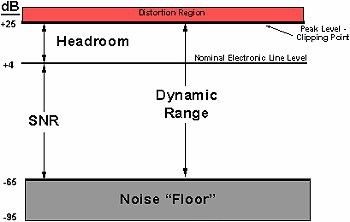
Headroom (modulation margin) is the level difference between the highest signal peak and theClipping-Limit. Digitally, this limit is 0.dBFSIn the analog range, this is around +24 dBu, depending on the device. A typical mix level has about 3–6 dB of headroom – both during mixing and...Headroom is an important factor in mastering, together with noise floor and signal-to-noise ratio (SNR). 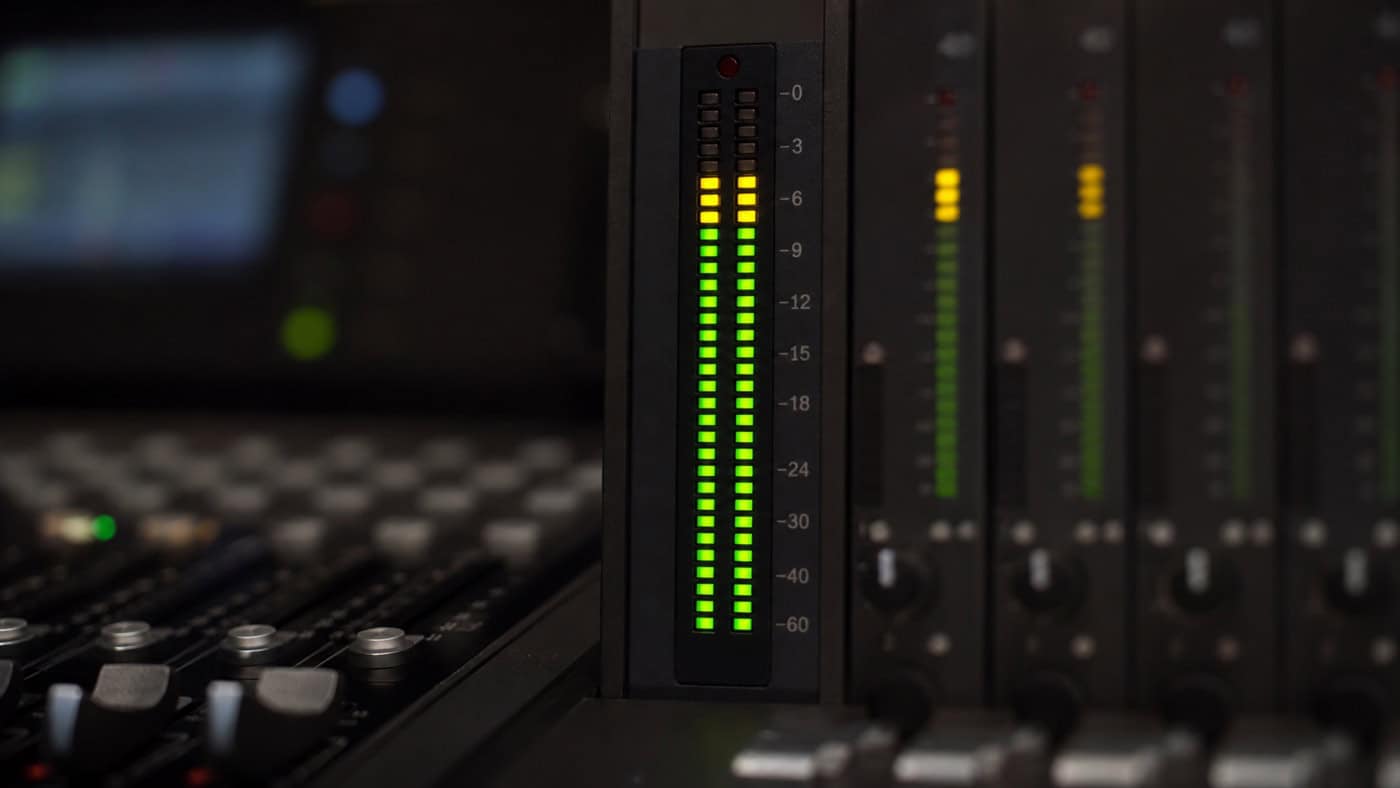
Recording headroom
Headroom – the gain reserve up to digital overload, measured inDecibel– is crucial in the entire audio production process. Every recording medium or analog device, be it a microphone or a converter in the interface, has a noise level. This level is also known as "analog noise." Therefore, if a signal is recorded very quietly, the difference between the background noise and the recorded signal is rather small. This difference is called the SNR (signal-to-noise ratio). This can be...mixdown, just atsubsequent compressioncause problems, as the background noise is also compressed and thus the noise can be heard by the subsequent increase in the level.
Recording tip:
Aim to record most signals around -6 to -3 dBFS. This leaves enough dynamic headroom for louder passages. For classical music or very dynamic material, we recommend recording closer to -12 to -6 dBFS.
Mixing headroom
Headroom is important in mixing because the final master should reach a competitive loudness without losing too much natural dynamics. A practical target is to leave about three to six dBFS of headroom on the mix bus and balance the individual tracks accordingly. This reduces the risk that individual instruments jump out unexpectedly during mastering. It cannot be avoided completely, because mastering often uses limiters and dynamic processing. The best approach is to control the individual tracks and buses in the mix so that the song already has a stable loudness before mastering. There are no fixed rules for every production; the engineer decides based on genre, dynamics and sound aesthetic.
Headroom in the overall process:How to adjust level reserves,gain stagingand how to cleanly structure the dynamics in the entire mixing process, ourMixing GuideStep by step.
Headroom is the reserve buffer for clean mastering — how it connects mix preparation and mastering result is explained by theMastering Guide.
Mastering headroom
Sufficient headroom is especially useful in mastering. Mastering often involves dynamic processing, for example compression, limiting or frequency-specific level adjustments. If the mix arrives with enough level reserve, the mastering engineer can work more precisely and avoid unnecessary distortion.
Our advice:
For mastering, it is best to leave around 3 to 5 dBFS of headroom. This gives the mastering engineer enough room to get the best out of your song.
3 dB or 6 dB headroom - which is better?
First, it helps to understand the relationship between level and bit depth. Every 6 dB of lower gain costs roughly 1 bit of theoretical dynamic resolution. In pop productions this is rarely critical, but in very dynamic music, such as classical recordings, it can matter. With 24-bit audio, however, you still have a theoretical dynamic range of about 144 dB. Even if you bounce a dynamic mix with 18 dBFS of headroom, the practical quality loss is usually not the limiting factor. The more important question is whether the mix has enough clean level reserve for mastering.
Conclusion: for very dynamic productions, we recommend around 6 dB of headroom. For less dynamic productions, around 3 dB is usually sufficient.
What do 24-bit and 32-bit float files have to do with headroom?
As described above, 24-bit audio offers a theoretical dynamic range of about 144 dB. A 32-bit float file provides far more internal headroom, often described as practically huge rather than truly unlimited. With 1680-bit float, accidental digital overs can often be recovered more safely and rounding errors are less of an issue. Still, for delivery and mastering, clean gain staging remains important.
Our advice:
If possible, export in 32-bit float and set the internal mix-bus resolution to 32-bit float as well, provided your DAW supports it.
Tip: The amount of headroom your master's degree has is revealed by theTrue Peak Measure for free in your browserwith our loudness meter.
Frequently Asked Questions about Headroom
How much headroom should I leave for mastering during the mixdown?
When you send your mix for mastering, you should leave around 3–6 dB of headroom – meaning keep the level on the master channel at about -6 dBFS and don't put a limiter or maximizer on the master bus. This gives the mastering engineer enough leeway for dynamics processing and true-peak limiting.
What is the difference between headroom and dynamic range?
Headroom is the free level difference between the loudest signal level and the clipping limit (0 dBFS). Dynamic range, on the other hand, describes the entire range between the quietest and the loudest usable signal. Headroom is therefore an upper margin, while dynamic range represents the complete bandwidth.
How much headroom does a finished master's degree require?
For most streaming platforms, a true peak of -1 dBTP is a safe guideline. This prevents intersample peaks and distortion in lossy encoding (e.g., AAC or MP3).
Do 24-bit or 32-bit float provide more headroom?
A higher bit depth primarily increases the usable dynamic range and reduces quantization noise. 32-bit float also allows internal processing well above 0 dBFS without audible clipping – however, clean gain staging remains crucial during export.
Why is sufficient headroom important at all?
Sufficient headroom prevents digital clipping, gives transients room to breathe, and ensures clean processing in mixing and mastering. Without headroom, material quickly sounds squashed and distorted.