Intersample Peaks - Why 2 dbTP headroom is better!
In this article, we want to explain what intersample peaks are all about and why it's better to have theirs Streaming Master to release with more headroom than many assume and disseminate.
What are intersample peaks?
Intersample Peaks (ISP) are peaks in the audio signal that can occur when the signal is digitally recorded and processed. They occur when a signal is below maximum in the analog domain, but through the digital conversion or conversion and processing reaches or even exceeds the maximum value. This can lead to a distortion of the audio signal, as this clipping cannot be reproduced correctly.
Intersample peaks occur because digital systems capture and store samples of the signal at fixed time intervals. These samples, or the sample rate, do not represent the exact analog signal but a discrete approximation of it. The higher the sample rate, the closer the digital signal comes to the original analog signal. Intersample peaks can occur when the signal reaches a peak between two consecutive samples.
How do you recognize intersample peaks?
Intersample peaks can be recognized and identified in several ways:
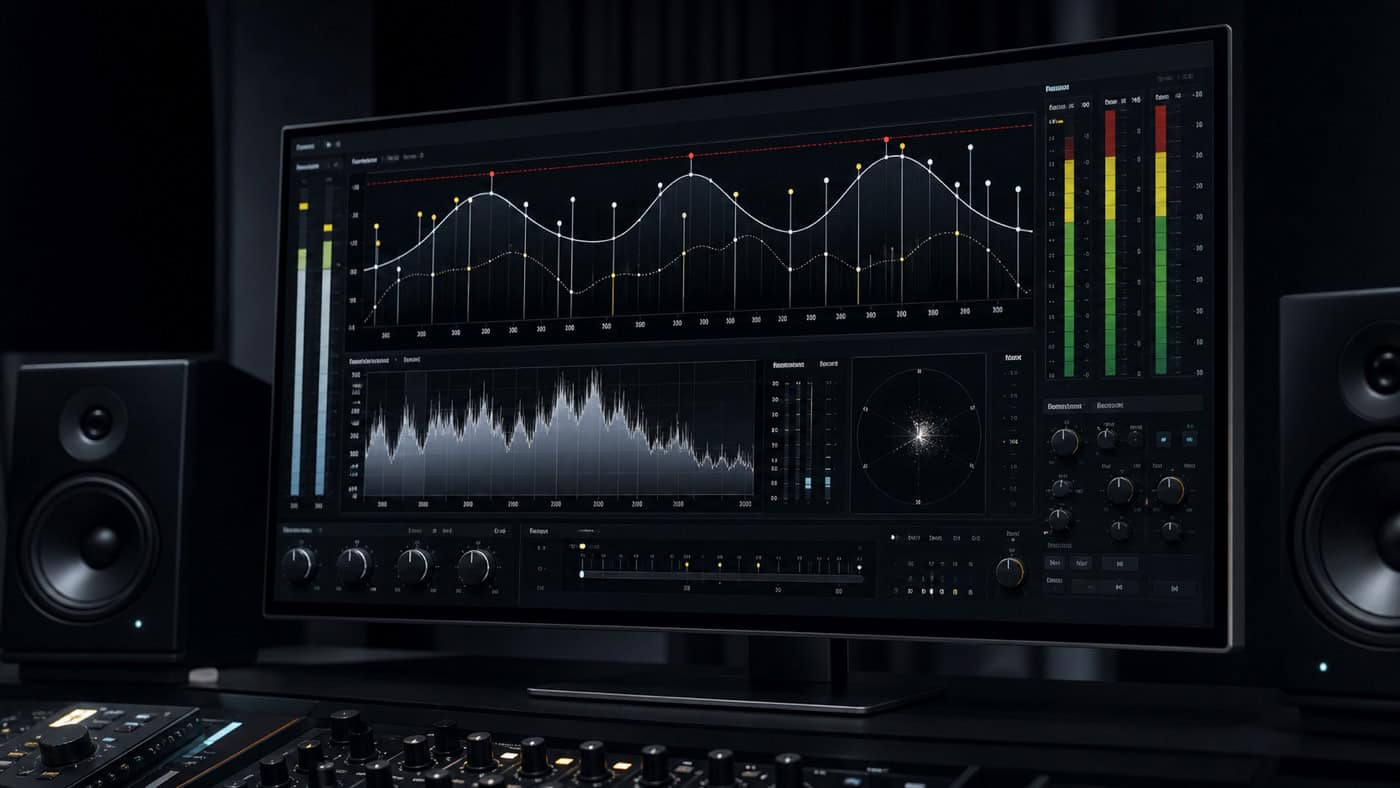
Visualization: One way to detect intersample peaks is to visually analyze the audio signal in an audio editor. Here, peaks that exceed the maximum value of the digital signal can be made visible. This can often be recognized by the strong peaks within a waveform.
Metering: Intersample peaks can also be detected by metering tools that monitor the signal in real time and indicate if peaks exceed the maximum value of the digital signal. These metering tools can be used in DAWs (digital audio workstations) or as separate plug-ins.
hearing: Intersample peaks can sometimes be detected by hearing as well, as they can lead to distortion and muddy sound. If the audio signal shows distortion when played back, this can be an indication of intersample peaks.
How to avoid intersample peaks?
Various measures can be taken to avoid intersample peaks:
Use of limiters: A limiter restricts the signal level and helps prevent clipping. You can apply a limiter to the master bus or to critical channels or groups to keep the signal within safe limits.
use of compression: compression can help control the signal and reduce peak levels. By reducing the difference between loud and quiet portions of the signal, the likelihood of intersample peaks can be reduced.
Increase in headroom: Of the headroom is the distance between the highest level in the signal and the maximum level that the digital signal can reach. Increasing the headroom protects the signal from clipping and avoids intersample peaks.
Use of dithering: Dithering This is a process in which a small amount of noise is added to the signal to reduce quantization errors. Adding noise effectively "smooths" the signal, which can decrease the likelihood of intersample peaks.
You want the best possible, distortion-free playback of your song on all platforms?
How does converting to another audio format affect intersample peaks?
Streaming platforms such as Spotify, Amazon Music and iTunes commonly convert uploaded songs into different, sometimes lossy formats to ensure smooth playback even on slower internet connections. This format conversion can affect intersample peaks.
If the target audio format has a lower resolution than the source audio format, this may result in intersample peaks being amplified or new peaks being created. This is because reducing resolution means reducing the accuracy of the digital approximation of the audio signal, which can result in peaks above the maximum value appearing. The louder a title is, the more unwanted level peaks may occur when converting to a lower resolution.
On the other hand, converting to a higher audio format can help reduce or eliminate intersample peaks. This is because increasing the resolution allows for a more accurate digital approximation of the audio signal, which can reduce or eliminate intersample peaks. However, it is important to note that converting to a different audio format can also have other effects on the sound , such as loss of dynamics or distortions.
It is therefore important that the conversion is carried out carefully and that the target audio format is suitable for the intended purpose.
Why 2dbTP headroom makes sense
The conversion described above can result in level peaks of up to 2 dB. This can lead to noticeable unmusical distortions and artifacts during subsequent playback. So if you want to be on the safe side, choose the conservative, sonically best route and leave 2 dB of true peak headroom before sending your song to the streaming provider.
This is what Bob Katz says:
YouTube's Opus codec has an even lower bitrate than Spotify. Using raw material mixed by me, I have definitely come to the conclusion that exceeding -1 dBTP on the PCM side before lossy encoding is a very bad idea. The overshoots do not sound nice. A value of 2 dBTP would be more conservative, although even with high-quality acoustic-electric material I found the improvement modest.
We can therefore conclude that for short level peaks, 1 dBTP of headroom can be sufficient without causing audible distortion. But if you want to be on the safe side, stick with 2 dBTP headroom. Even Spotify recommends this in its guidelines.
How do streaming services deal with intersample peaks?
Streaming services usually have specific guidelines and recommendations for formatting audio content to ensure it sounds good on their platforms while limiting music loudness to a reasonable level. Streaming services can take different approaches to intersample peaks:
Limiter: Some streaming services automatically apply a limiter when uploading audio content to control the signal level and avoid intersample peaks.
Normalization: Other streaming services apply normalization to audio content to ensure that all content is played back at a consistent loudness without increasing loudness or causing intersample peaks.
Dynamic Customization: Some streaming services use dynamic adjustment algorithms to adjust the loudness of songs during streaming so that they stay at a similar loudness level compared to other songs on the platform. This can also help avoid intersample peaks.
Importantly, the specific requirements and policies for intersample peaks may vary from streaming service to streaming service. It is therefore advisable to familiarize yourself with the specific requirements and recommendations of each streaming service to ensure that the audio content is correctly formatted and optimized for optimal playback quality on the platform.
What audio codecs do the streaming services use?
Most streaming services use different audio codecs depending on the type of content and the platform it is streamed on. Some of the most common audio codecs used by streaming services are:
AAC (Advanced Audio Coding): AAC is a lossy audio codec that offers high sound quality at a low data rate. It is a widely used codec used by many streaming services like Apple Music, Spotify, and YouTube. AAC offers better sound quality than older codecs like MP3 at the same or even lower bit rate. This is because AAC uses more advanced compression technology that allows for better sound quality with a smaller file size. AAC can also support a higher sampling rate and a larger number of channels than MP3.
Another advantage of AAC is its support for a wide range of audio features, including high frequencies, variable bit rates and multi-channel audio. This makes it an ideal codec for music streaming services such as Apple Music, Spotify and YouTube. AAC can be saved in various formats, for example MP4 file container format or saved as a standalone AAC file format. It is also compatible with most modern audio players, including mobile devices and computers.
In summary, AAC offers high sound quality at a low data rate, supports a wide range of audio functions and is compatible with most modern audio players.
MP3 (MPEG Audio Layer 3): MP3 is a lossy audio codec that has been used in the music industry for many years. Although the quality is good at high bitrates, it can be worse at lower bitrates. MP3 is still used by many streaming services such as Amazon Music and Tidal.
FLAC (Free Lossless Audio Codec): FLAC is a lossless audio codec that offers better sound quality than lossy codecs. than lossy codecs like AAC and MP3. However, the file is larger and therefore requires more bandwidth. FLAC is used by some streaming services like Tidal and Qobuz.
Intersample peaks lurk beneath the sample resolution — how you control them in mastering is built into the Mastering Guide systematically.
Ogg Vorbis: Ogg Vorbis is a lossy audio codec used by some streaming services such as Spotify and Deezer. It offers good sound quality with a lower data rate than MP3. Ogg Vorbis is a lossy audio codec developed as a free alternative to proprietary codecs like MP3. It was developed by the Xiph.Org Foundation team and is an open-source format released under the BSD license.
Compared to other lossy audio codecs, Ogg Vorbis offers better sound quality at a lower data rate. It uses an advanced compression method called the "psychoacoustic model" that allows it to remove unnecessary audio data that is inaudible to the human ear. This allows it to achieve a higher compression rate than other codecs without sacrificing sound quality.
Another advantage of Ogg Vorbis is its open nature, which allows anyone to implement and use the codec in software and hardware without having to pay license fees. Also, it supports multiple audio channels and can be encoded in different sample rates and bit rates.
The Ogg Container format is typically used to store Ogg Vorbis files, but can also contain other formats such as VorbisComment metadata and videos. Although Ogg Vorbis is not as widely used as other codecs such as MP3 and AAC, it is supported by some online music streaming services such as Bandcamp and Jamendo, as well as some open source media players such as VLC and Audacity.
In summary, Ogg Vorbis offers high sound quality at a low data rate, is an open format and supports multiple channels and various sample rates and bit rates.
Opus:
opus is an audio codec designed to efficiently compress digital audio data. It is used by YouTube, Whatsapp and other services, among others, because it supports high quality despite low bit rates. However, it is a lossy codec.
Which audio codec has the largest intersample peaks?
There are no specific audio codecs that generally produce larger intersample peaks than others. Intersample peaks can be caused by many factors, including the type of audio signal, how the signal is processed by devices or software, and the maximum signal level.
Some lossy audio codecs such as MP3 and AAC can produce intersample peaks when used at high compression rates to achieve smaller file sizes. This occurs especially when the audio content has high loudness before compression.
However, it should be noted that intersample peaks can also occur with lossless audio codecs such as FLAC or WAV when the maximum level of the signal exceeds the peak limitation of a playback device or system. Therefore, it is important to ensure appropriate signal processing and level control when creating and editing audio content, regardless of the audio codec used.
With streaming services, do they first convert the audio to another format and then normalize it, or vice versa?
The exact order of signal processing in streaming services may vary as it depends on the specific implementation of the service. However, it is common for signal processing to take place in several steps, usually converting first and then normalizing only when rebathing.
First, the audio signal is converted to the audio format preferred by the streaming platform. This can vary by streaming service, ranging from lossy codecs like AAC and MP3 to lossless codecs like FLAC and WAV.
After conversion, the audio is normalized to ensure the signal level stays within a specified range to avoid possible clipping or distortion. Normalization can be done in different ways, e.g. B. by adjusting the overall volume or by applying peak level limiters.
However, it's important to note that this can vary from streaming service to streaming service, and that some services may perform additional signal processing steps before converting and normalizing the audio.
What are intersample peaks?
Intersample Peaks (ISP) are peaks in the audio signal that can occur when the signal is digitally recorded and processed. They occur when a signal is below maximum in the analog domain, but through the digital conversion or conversion and processing reaches or even exceeds the maximum value. This can lead to a distortion of the audio signal, as this clipping cannot be reproduced correctly.
Intersample peaks occur because digital systems capture and store samples of the signal at fixed time intervals. These samples, or the sample rate, do not represent the exact analog signal but a discrete approximation of it. The higher the sample rate, the closer the digital signal comes to the original analog signal. Intersample peaks can occur when the signal reaches a peak between two consecutive samples.
How do you recognize intersample peaks?
Intersample peaks can be recognized and identified in several ways:
Visualization: One way to detect intersample peaks is to visually analyze the audio signal in an audio editor. Here, peaks that exceed the maximum value of the digital signal can be made visible. This can often be recognized by the strong peaks within a waveform.
Metering: Intersample peaks can also be detected by metering tools that monitor the signal in real time and indicate if peaks exceed the maximum value of the digital signal. These metering tools can be used in DAWs (digital audio workstations) or as separate plug-ins.
hearing: Intersample peaks can sometimes be detected by hearing as well, as they can lead to distortion and muddy sound. If the audio signal shows distortion when played back, this can be an indication of intersample peaks.
How to avoid intersample peaks?
Various measures can be taken to avoid intersample peaks:
Use of limiters: A limiter restricts the signal level and helps prevent clipping. You can apply a limiter to the master bus or to critical channels or groups to keep the signal within safe limits.
use of compression: compression can help control the signal and reduce peak levels. By reducing the difference between loud and quiet portions of the signal, the likelihood of intersample peaks can be reduced.
Increase in headroom: Of the headroom is the distance between the highest level in the signal and the maximum level that the digital signal can reach. Increasing the headroom protects the signal from clipping and avoids intersample peaks.
Use of dithering: Dithering is a process of adding a small amount of noise to the signal to reduce quantization errors. Adding noise effectively "smooths" the signal, which can reduce the likelihood of intersample peaks.
How does converting to another audio format affect intersample peaks?
It is common that Streaming platforms such as Spotify, Amazon Music, Itunes etc. Convert songs into various, sometimes lossy, formats after uploading to ensure smooth playback despite a slow internet connection.
Converting to a different audio format can affect intersample peaks. If the target audio format has a lower resolution than the source audio format, this can lead to existing intersample peaks being amplified or new peaks appearing. This is because reducing the resolution means a decrease in the accuracy of the digital approximation of the audio signal, which can cause peaks to exceed their maximum value. The louder a track is, the more unwanted level peaks can occur when converting to a lower resolution.
On the other hand, converting to a higher audio format can help reduce or eliminate intersample peaks. This is because increasing the resolution allows for a more accurate digital approximation of the audio signal, which can reduce or eliminate intersample peaks altogether.
However, it should be noted that converting to a different audio format can also have other effects on the sound, such as... loss of dynamics or distortions. It is therefore important that the conversion is done carefully and that the target audio format is suitable for the intended purpose.
How do streaming services deal with intersample peaks?
Streaming services usually have specific guidelines and recommendations for formatting audio content to ensure it sounds good on their platforms while limiting music loudness to a reasonable level. Streaming services can take different approaches to intersample peaks:
Limiter: Some streaming services automatically apply a limiter when uploading audio content to control the signal level and avoid intersample peaks.
Normalization: Other streaming services apply normalization to audio content to ensure that all content is played back at a consistent loudness without increasing loudness or causing intersample peaks.
Dynamic Customization: Some streaming services use dynamic adjustment algorithms to adjust the loudness of songs during streaming so that they stay at a similar loudness level compared to other songs on the platform. This can also help avoid intersample peaks.
Importantly, the specific requirements and policies for intersample peaks may vary from streaming service to streaming service. It is therefore advisable to familiarize yourself with the specific requirements and recommendations of each streaming service to ensure that the audio content is correctly formatted and optimized for optimal playback quality on the platform.
What audio codecs do the streaming services use?
Most streaming services use different audio codecs depending on the type of content and the platform it is streamed on. Some of the most common audio codecs used by streaming services are:
AAC (Advanced Audio Coding): AAC is a lossy audio codec that offers high sound quality at a low data rate. It is a widely used codec used by many streaming services like Apple Music, Spotify, and YouTube. AAC offers better sound quality than older codecs like MP3 at the same or even lower bit rate. This is because AAC uses more advanced compression technology that allows for better sound quality with a smaller file size. AAC can also support a higher sampling rate and a larger number of channels than MP3.
Another advantage of AAC is its support for a wide range of audio features, including high frequencies, variable bitrates, and multi-channel audio. This makes it an ideal codec for music streaming services like Apple Music, Spotify, and YouTube.
AAC can be saved in various formats, for example, in the MP4 file container format or as a standalone AAC file format. It is also compatible with most modern audio players, including mobile devices and computers.
In summary, AAC offers high sound quality at a low data rate, supports a wide range of audio functions and is compatible with most modern audio players.
MP3 (MPEG Audio Layer 3): MP3 is a lossy audio codec that has been used in the music industry for many years. Although the quality is good at high bitrates, it can be worse at lower bitrates. MP3 is still used by many streaming services such as Amazon Music and Tidal.
FLAC (Free Lossless Audio Codec): FLAC is a lossless audio codec that offers better sound quality than lossy codecs. than lossy codecs like AAC and MP3. However, the file is larger and therefore requires more bandwidth. FLAC is used by some streaming services like Tidal and Qobuz.
Ogg Vorbis: Ogg Vorbis is a lossy audio codec used by some streaming services such as Spotify and Deezer. It offers good sound quality with a lower data rate than MP3. Ogg Vorbis is a lossy audio codec developed as a free alternative to proprietary codecs like MP3. It was developed by the Xiph.Org Foundation team and is an open-source format released under the BSD license.
Compared to other lossy audio codecs, Ogg Vorbis offers better sound quality at a lower data rate. It uses an advanced compression method called the "psychoacoustic model" that allows it to remove unnecessary audio data that is inaudible to the human ear. This allows it to achieve a higher compression rate than other codecs without sacrificing sound quality.
Another advantage of Ogg Vorbis is its open nature, which allows anyone to implement and use the codec in software and hardware without having to pay license fees. Also, it supports multiple audio channels and can be encoded in different sample rates and bit rates.
The Ogg container format is normally used to store Ogg Vorbis files, but can also contain other formats such as VorbisComment metadata and videos.
Although Ogg Vorbis is not as widely used as other codecs such as MP3 and AAC, it is supported by some online music streaming services such as Bandcamp and Jamendo, as well as by some open-source media players such as VLC and Audacity.
In summary, Ogg Vorbis offers high sound quality at a low data rate, is an open format and supports multiple channels and various sample rates and bit rates.
Opus:
opus is an audio codec designed to efficiently compress digital audio data. It is used by YouTube, Whatsapp and other services, among others, because it supports high quality despite low bit rates. However, it is a lossy codec.
Which audio codec has the largest intersample peaks?
There are no specific audio codecs that generally produce larger intersample peaks than others. Intersample peaks can be caused by many factors, including the type of audio signal, how the signal is processed by devices or software, and the maximum signal level.
Some lossy audio codecs such as MP3 and AAC can produce intersample peaks when used at high compression rates to achieve smaller file sizes. This occurs especially when the audio content has high loudness before compression.
However, it should be noted that intersample peaks can also occur with lossless audio codecs such as FLAC or WAV if the maximum level of the signal exceeds the peak limit of a playback device or system.
Therefore, it is important to pay attention to appropriate signal processing and level control when creating and editing audio content, regardless of the audio codec used.
With streaming services, do they first convert the audio to another format and then normalize it, or vice versa?
The exact order of signal processing in streaming services can vary, as this depends on the specific implementation of the service.
However, it is common for signal processing to take place in several steps, usually with conversion first and normalization only upon replay.
First, the audio signal is converted to the audio format preferred by the streaming platform. This can vary by streaming service, ranging from lossy codecs like AAC and MP3 to lossless codecs like FLAC and WAV.
After conversion, the audio is normalized to ensure the signal level stays within a specified range to avoid possible clipping or distortion. Normalization can be done in different ways, e.g. B. by adjusting the overall volume or by applying peak level limiters.
However, it's important to note that this can vary from streaming service to streaming service, and that some services may perform additional signal processing steps before converting and normalizing the audio.
We make sure there are no conversion problems with your song!